
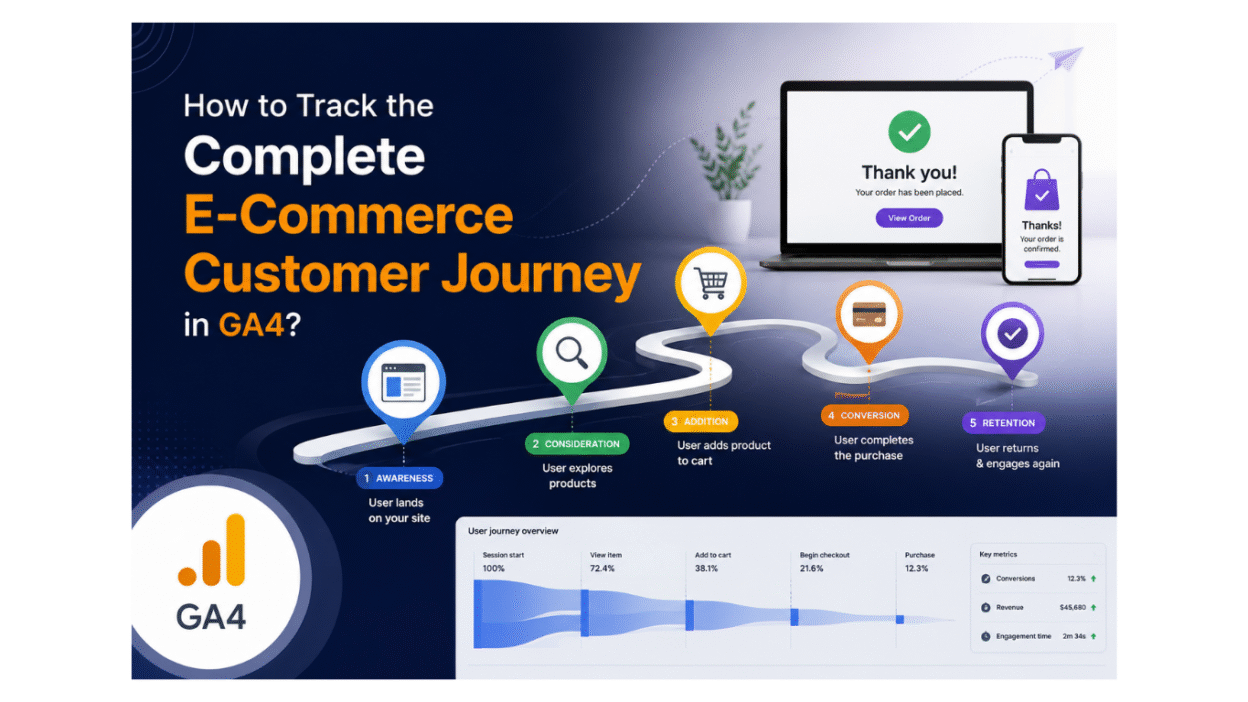
When you track the complete e-commerce journey in GA4, you get loads of valuable insights over time. This trail will lead you to an understanding of how people are moving from the product discovery to the final purchase page. You can also learn where the users are dropping off, which of your promotions is actually working, and through which channel most of your valuable customers are coming.
Google Analytics 4 is made for such event tracking; hence, it is the perfect choice for e-commerce tracking. GA4 does not only track the pageviews; you get the whole package to track the movements of users. Adding product to cart, starting the checkout process, clicking on the banner, and completing the purchase by making payment. You get all the insights on one platform.
As a result, you get a clear picture of the whole journey of your customer. You have a view of what the user is doing at each stage. What is that marketing effort of yours that leads to a better long-term result, and at what point do you lose your user at the checkout process? You get all the answers with Google Analytics 4.
So, let’s move on with the blog and learn more.
Table of Contents
- Introduction
- GA4 E-Commerce Event Model
- How to track product views and product engagement in GA4
- How to measure add_to_cart and cart behavior in GA4
- How to track begin_checkout and checkout flow in GA4
- How to properly track purchases and revenue in GA4
- How to track internal promotions with view_promotion and select_promotion
- How to track coupon use in GA4
- How to analyze User Lifetime Value in GA4
- How to connect acquisition channels to long-term customer value
- Common implementation mistakes in GA4 e-commerce tracking
- How to build reports and funnels for the full customer journey
GA4 E-Commerce Event Model
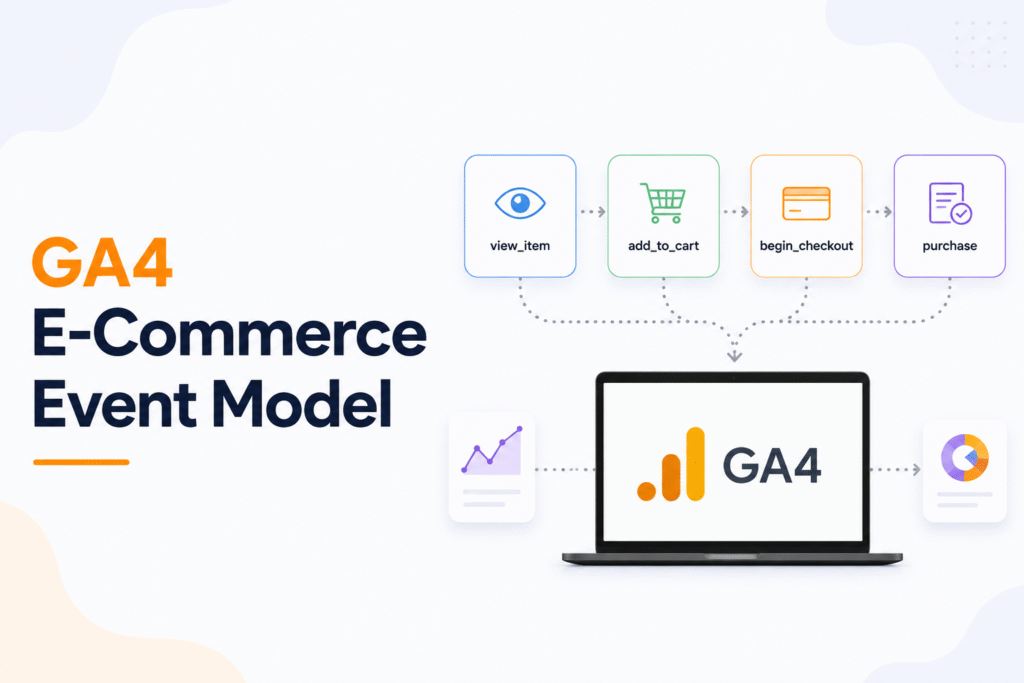
Tracking a whole customer journey through all the events is what GA4 excels in. For businesses that are migrating from Universal Analytics, GA4 e-commerce measurement is the successor to enhanced e-commerce. Furthermore, they offer more flexible event-based tracking. Because that is the most important trail to look for in order to understand your brand’s growth. As for an e-commerce platform, this is a hero model. You have all the important actions measured separately. There will be no bundles of a few broad page-based reports.
If simply put, this is a path where a user will first view a product, then add it to the cart, enter the checkout page, and end with purchasing. With GA4, you will have many recommendations for further steps, and the entire conversion funnel will be very easy to measure.
Now, let’s focus on the GA4 recommended events for e-commerce:
- View_item: When a user opens a product detail page.
- Add_to_cart: When a user adds a product to the cart.
- View_cart: When the user views their own cart.
- Begin_checkout: When the user starts the checkout process.
- Purchase: When the user completes the order by purchasing it.
Evidently, all of these events carry major importance. Because if a user views the product but does not add the same to the cart, you can view that. And if from 10 users only 3-4 users add the product to cart, that means the issue is in product detail quality, pricing, or intent. And if the same people reach the checkout page but do not buy, the issue can be in forms, payment, shipping, or trust. With Google Analytics 4, you can view every step and rectify the issue as well.
How to track product views and product engagement in GA4
The very first and clearest sign of whether a user is interested in your product is by product view. When you track in GA4, this is the first thing that you must focus on, as here you will understand the real engagement with items on your site and not just the traffic. There are points that you must keep in mind:
- For every product detail page view, you must track view_item.
- It is very important to make sure every event sends the correct event parameters, including product name, product ID, price, and currency.
- If you have a product list or a category page on your site, make sure to track the item selection as well. It will help you view which of your products are attracting attention before the product page.
- Do a thorough comparison between view_item and add_to_cart to understand if your users are moving forward in their journey.
- Keep your eye on the products that have high views but a low cart add; you can then spot the issues causing this. Is it the pricing, images, copy, or offers?
With this initial step itself, you will get a hang of your product’s engagement. Because it will be easier for you to understand which product is getting the most attention and which is not. As a result, you will easily improve your next step of the journey.
How to measure add_to_cart and cart behavior in GA4
The next important step for you to track is the cart. When you track in GA4, you will get an add_to_cart page that shows a user’s strong intent to buy the product. And view_cart, on the other hand, shows whether the user is reviewing items before heading on to the checkout page. Let’s understand the points to keep in mind:
- Every time a user adds a product to the cart, you must track the add_to_cart.
- Do ensure that the event has the correct details of items, like product ID, name, price, and quantity.
- Use view_cart to monitor users who open the cart and review their items.
- Use the view_item vs. add_to_cart to see how many product viewers become cart viewers.
- To spot page-level friction or weak intent, keep checking products or traffic sources with low cart-add rates.
With this section you can check whether the product interest is turning into a real purchase intent or not. If the product is getting views but not getting cart adds, or users are leaving the cart before checkout, it may indicate shopping cart abandonment caused by pricing, product information, trust, or the offer itself.
How to track begin_checkout and checkout flow in GA4
It gets serious when the user is at the checkout phase. Here, in GA4, the key event is begin_checkout. This page shows that a user has entered checkout after adding items to the cart.
- Track begin_checkout on the first click of the checkout button or the first page view of checkout.
- Send correct item details with the event, especially items, value, and currency.
- If you use a coupon before you check out, be sure to include the coupon information so the checkout data is complete.
- The first checkout step is the best trigger to use, as it’s the cleanest point to catch the event before users go forward or drop off.
Once you have it set up, you can compare begin_checkout with purchase to see how many users actually complete the order. A big gap is often an indication of checkout abandonment caused by friction in shipping, payment, trust, form length, or a confusing checkout flow.
Funnel exploration in GA4 allows you to discover where users are dropping off in the checkout path, making it an important tool for Conversion Rate Optimization (CRO). This feature allows you to identify weak steps in the process and improve conversion rate without guessing.
This is a key step to measure properly so that you can see how many shoppers are making the journey from cart to checkout and how many actually complete the journey. That makes checkout one of the most important stages in the full e-commerce customer journey.
How to properly track purchases and revenue in GA4
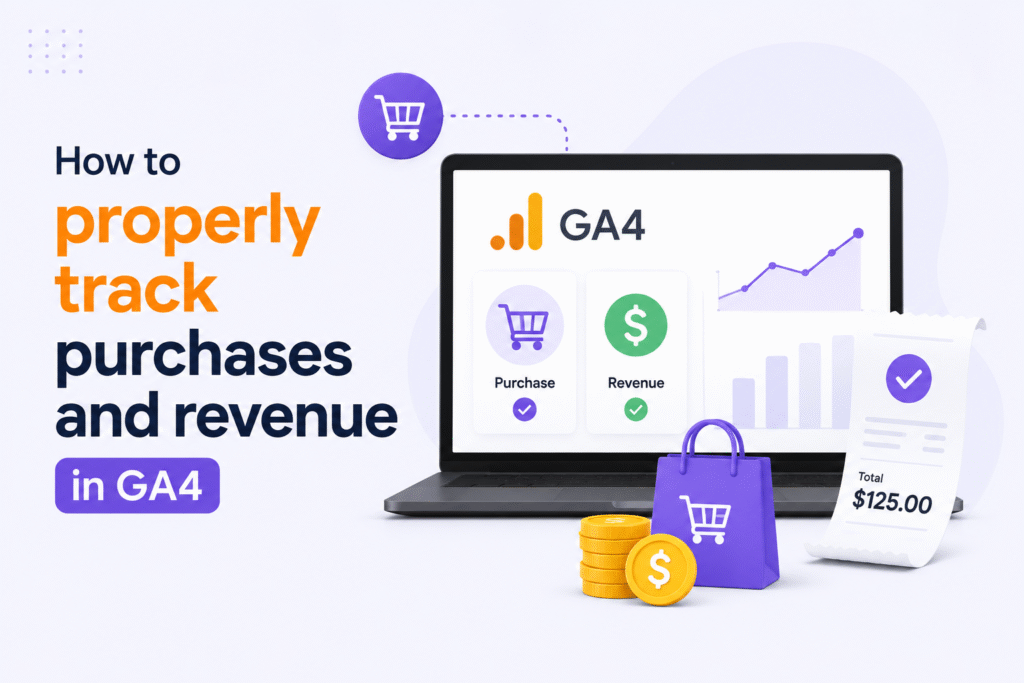
The purchase is the final step in the e-commerce journey. In GA4 this step is done via the purchase event, which signifies the transaction is complete and gives you data to measure revenue, order performance, and conversion quality.
- Only track that purchase if the user successfully completes it.
- Make sure that the event includes transaction_id, value, currency, and items.
- Be sure you have order-level details available: tax, shipping, and coupons, if the transaction requires it.
- Ensure your purchase data matches your backend order records so your reporting stays accurate.
- Look for duplicate purchases. Make sure that the same transaction is not double-counted.
This is the most important step because now you have the strongest evidence: purchase. It simply means the customer’s journey was successful, both for the customer and you. It also gives you the numbers you need to measure revenue, compare channels, evaluate Return on Ad Spend (ROAS), and see which campaigns actually lead to sales, not just clicks.
If the purchase tracking is clean, the rest of your e-commerce analysis, including attribution, becomes much more reliable. That is why GA4 purchase data is the foundation for deeper reporting like funnel analysis, channel performance, and long-term customer value.
How to track internal promotions with view_promotion and select_promotion
When you do an internal promotion, you get to learn if your marketing techniques work or not. All the onsite banners, hero images, and featured offers you send out: do they get the amount of attention you predicted? In GA4, view_promotion means a promotion was seen, while select_promotion means a user clicked it.
- Track view_promotion when the user sees a banner, slider, or featured offer.
- Track select_promotion when the user clicks on this promotion
- When applicable, provide clear promotion details (e.g., promotion name, creative, placement, item context).
- Check views and clicks to see which banners get attention and which ones get ignored.
- Discover where your promotions perform best on each page, device, and audience.
This section matters because a promotion can look attractive on the page but still fail to drive action. When you compare view_promotion with select_promotion, you can quickly see whether the banner is only visible or truly effective.
Used well, these events help you improve onsite messaging and push more users toward product pages, cart actions, and checkout steps. That makes internal promotion tracking a useful part of the complete e-commerce customer journey.
How to track coupon use in GA4
One of the simplest ways to woo the customer is by offering a coupon. Hence, it is very important to track coupons. In GA4, coupon tracking allows you to see if a discount was applied at the item level, the order level, or both.
- Pass a coupon code with a purchase event where a discount is applied to the whole order.
- Use the item-level coupon details if the discount is on a specific product.
- Use the same coupon name or code in both your store and reporting; it will be easy to track.
- To see if your discount is boosting the conversions, compare your orders with and without coupons.
- Keep a check on whether your coupons are impacting revenue, Average Order Value (AOV), or repeat purchases.
This is important because a coupon is more than a discount. It is a signal for user behavior, price sensitivity, and campaign effectiveness. If you track it correctly, you can tell which offers are actually moving users closer to purchase.
A clean coupon setup also helps prevent confusion between item discounts and order discounts. That makes your e-commerce reports easier to trust and your promotional analysis much more useful.
How to analyze User Lifetime Value in GA4
It is all the more important to keep track of user lifetime value. Because tracking this will help you understand which one of your acquisition channels is bringing the most valuable customer over time and not just the immediate purchase. In GA4, this metric, often referred to as Customer Lifetime Value (CLV), is useful because it shifts the focus from one-time conversions to long-term customer value.
- Open the User Lifetime report in GA4.
- You can compare users by their source, medium, campaign, or channel group.
- Keep a check on the revenue, purchases, and engagement over time.
- Identify the channels that are bringing fewer users but stronger long-term value.
- As you get the results, do not focus on just traffic volume; focus on quality traffic.
With this section, you will understand that there are some channels that may look weak initially, but they are the ones that deliver better customers later. When you analyze user lifetime, you get a clearer picture of which marketing efforts are actually profitable over the long run.
It also helps you make smarter budget decisions. Instead of judging a channel only by the first purchase, you can see whether it continues to produce repeat buyers and higher-value users.
How to connect acquisition channels to long-term customer value
As mentioned above, you have understood the importance of tracking user lifetime value. Now, the next important steps to focus on are learning about connecting it back to acquisition channels. With this, you will be able to understand which one or more than one of your sources is bringing customers who are your buyers for the long term. And not just the ones who buy once and disappear.
- It is best to compare channels like organic search, paid search, direct, email, and social for a better understanding.
- Keep a check on channels that drive higher lifetime revenue and repeat purchases.
- For more specific data, the best way is to look at source and medium together.
- Discover which channels have fewer users but more long-term buyers.
- Use these insights to shift budget toward quality traffic, not only high-volume traffic, while improving Customer Acquisition Cost (CAC).
This section matters because not every channel that converts quickly creates the most value over time. This point is where marketing attribution becomes valuable. When you connect acquisition data with lifetime value, you get a much clearer view of real marketing performance and support multi-touch attribution across the customer journey.
It also helps you explain why some campaigns deserve more budget even if their short-term conversion numbers are not the highest. In e-commerce, the best channel is often the one that keeps producing valuable customers, not just first-time buyers.
Common implementation mistakes in GA4 e-commerce tracking
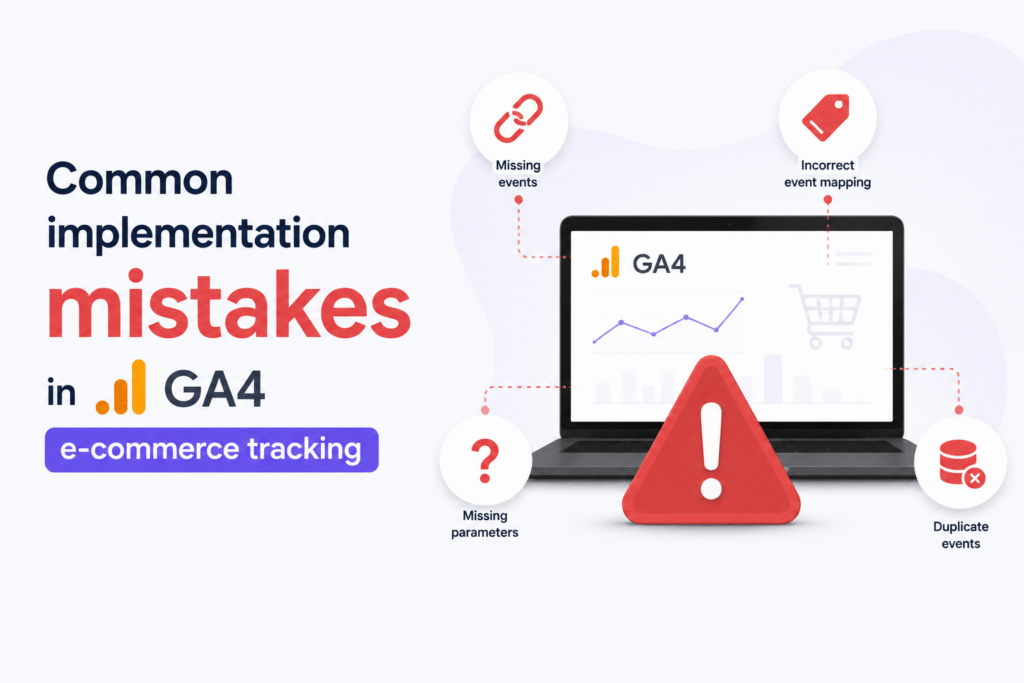
The work of GA4 e-commerce becomes smooth when the setup is complete and consistent. Even a small mistake can cause gaps in your reports. Hence, this section helps you with such problems that most often affect journey tracking. Let’s learn about the mistakes:
- The item details like product ID, name, price, or currency are missing.
- You are tracking purchases without putting a proper transaction_id. This will get you duplicate or unreliable revenue data.
- You forget to pass coupon information whenever the customer uses the discounts. And if this scenario happens frequently, it will not benefit you.
- Sending promotion events without clear promotion names or placement data.
- Tracking begin_checkout event later, instead of tracking it at the start of checkout.
- Forgetting to keep the same event structure across product, cart, checkout, and purchase steps or using an inconsistent data layer implementation.
It is important to learn about these mistakes, because they will break the chain of the customer journey. When one event is incomplete or inconsistent, it becomes harder to trust the funnel and harder to understand where users are dropping off.
A clean setup, whether implemented directly or through Google Tag Manager (GTM), saves time later. Additionally, validating the events in DebugView helps ensure your implementation is working correctly. If the events are mapped correctly from the start, your reports on product views, cart behavior, checkout progression, coupon usage, promotions, and user lifetime will be much more accurate and useful.
How to build reports and funnels for the full customer journey
There is more than one individual event needed to learn the full e-commerce journey. Reports connecting those events are also important, and many teams visualize them further using Looker Studio dashboards. Because these reports will tell you where users move forwards and where they drop off.
- Use funnel analysis to follow the path from view_item to add_to_cart, begin_checkout, and purchase.
- Keep comparing conversion rates at each step. It will help you find the biggest drop-offs.
- The best breakdown of funnels is by channel, device, campaign, or product category.
- Track what users do before and after each key event by using path-style analysis.
- You simply look at the funnel with the promotion, coupon, and lifetime value information.
Now, this is the process that you must follow. In this context, your raw tracking will evolve into actionable insights. A funnel shows you if the journey is smooth, while breakdowns by channel or device show where the experience changes.
When you combine event data with funnel reporting and, if needed, export it to BigQuery for deeper analysis, you get a much clearer picture of customer behavior, and it becomes easier to optimize product pages, cart performance, checkout flow, and even long-term acquisition strategy.