
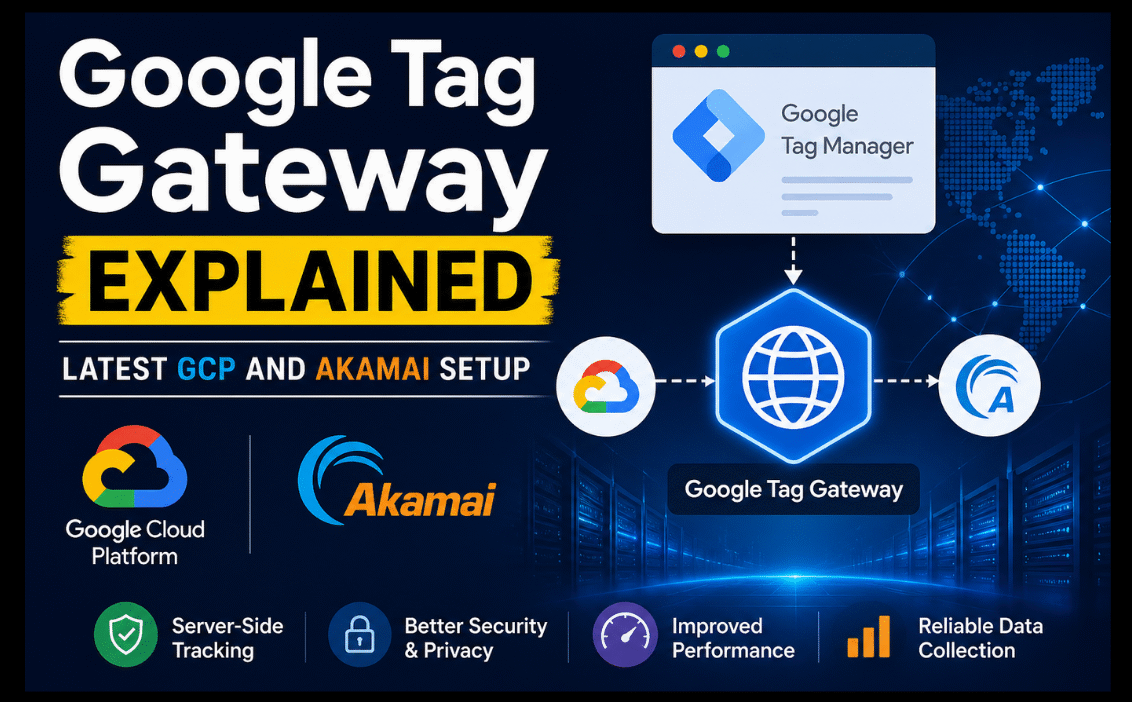
Imagine trying to track website visitors in a world where ad blockers and privacy tools are everywhere; your data signals just vanish. Google Tag Gateway steps in as a smart fix, letting you host Google tags (like those for GA4 and Google Ads) on your own first-party domain instead of Google’s servers. This simple shift makes your tags tougher against blockers, boosting data accuracy by 11-14% in many cases.
A new first-party mode became popular at the start of May 2025 because it was easy to set up with Cloudflare. As January 2026 came, it reached a major milestone with one-click setup on Google Cloud (GCP) and a full release on Akamai.
As of today, it is the top choice for marketers fighting against browser cookie restrictions. Its working process starts by routing your website’s tracking data through your own domain (via CDN/load balancer) directly to Google. This process keeps you in control of your first-party data. Whether you’re new to tagging or optimizing GA4, this gateway is your bridge to reliable, privacy-friendly measurement.
Table of Contents
- Introduction
- Core Benefits
- Technical Overview
- Deployment Guides
- Google Tag Gateway vs. Server-Side Tagging
- 2026 Developments
- Implementation Tips
- Future Role
Core Benefits
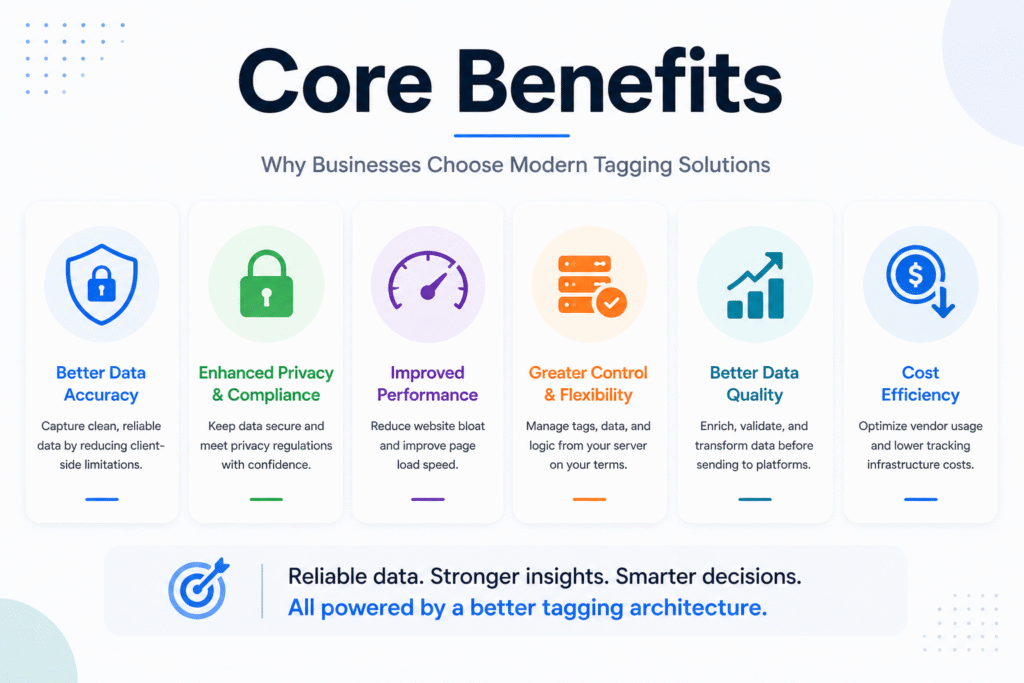
Google Tag Gateway shines by serving tags from your own domain, dodging ad blockers that target third-party scripts like traditional Google ones. This first-party hosting means more of your GA4 events and Google Ads conversions actually reach Google’s servers through a first-party cookie environment, improving conversion tracking accuracy. Tests show 11-14% better data recovery in blocker-heavy environments.
It works perfectly with Consent Mode v2. This combination allows you to accurately estimate sales and actions even when users say ‘no’ to cookies, and this is essential for privacy rules such as the General Data Protection Regulation (GDPR) in the EU and the DPDP Act in India. Adding to this, it makes your Google Ads data cleaner and improves enhanced conversions, which helps AI bidding work better. And this turns your missing data into better results without a complicated setup.
Technical Overview
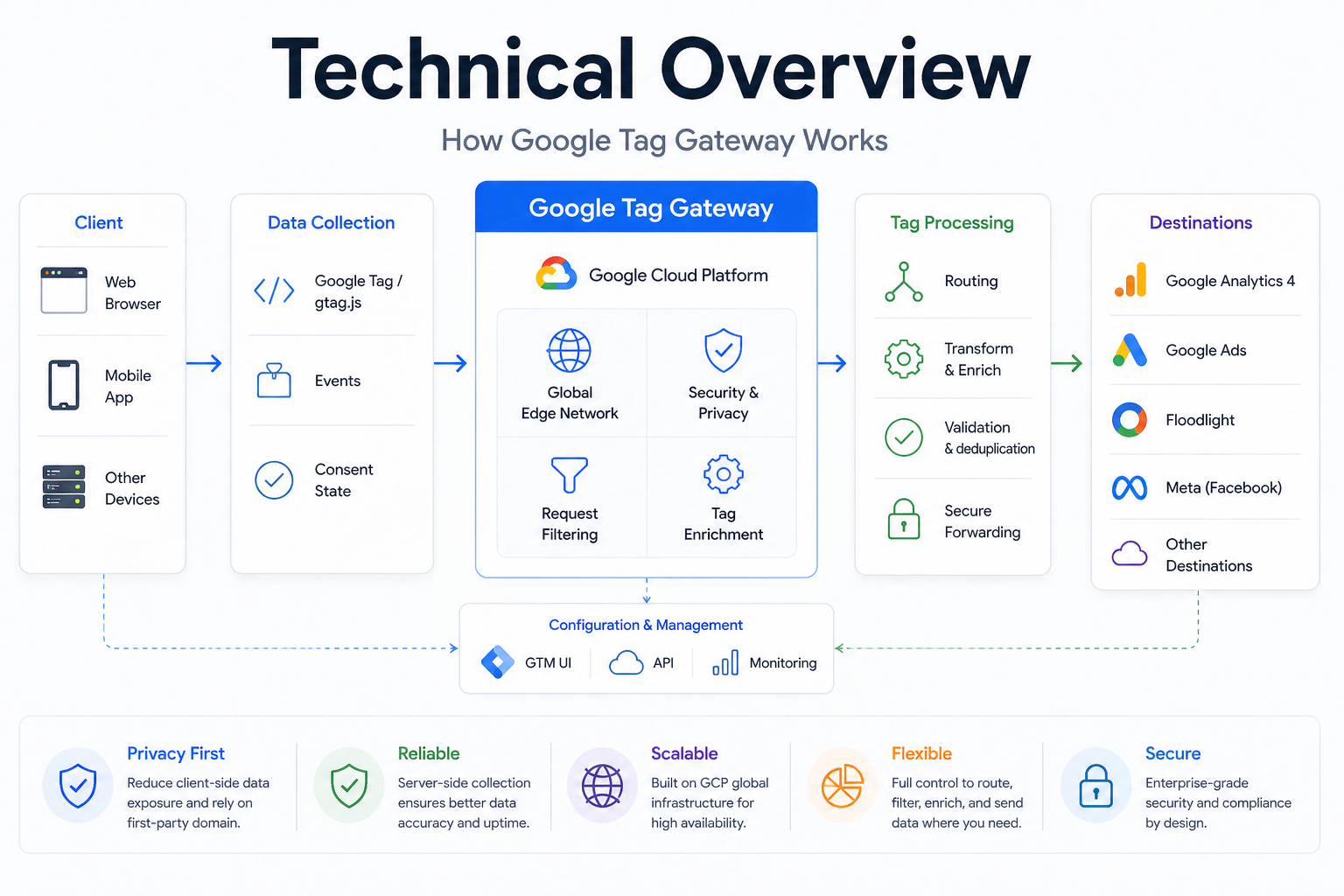
Google Tag Gateway tends to make your website’s data collection more accurate and secure by pretending to be a first-party request. Which means, rather than sending the visitor data directly to Google, your site sends it to your own domain first (e.g., yourdomain.com/gateway/ga.js). Then a trusted service like a CDN securely passes this data as part of the measurement data pipeline to Google using the Google Analytics Measurement Protocol.
This setup works easily with GA4, Google Tag Manager (GTM), and Google Ads. Rather than changing all your tracking codes, you just have to update your GTM container or tag URLs to point to the new “gateway endpoint.” And after this, the system automatically manages the rest. The result? Consistent event tracking, better attribution modeling, and resilience against Intelligent Tracking Prevention (ITP) limits from Safari or Chrome’s evolving privacy sandbox.
Deployment Guides
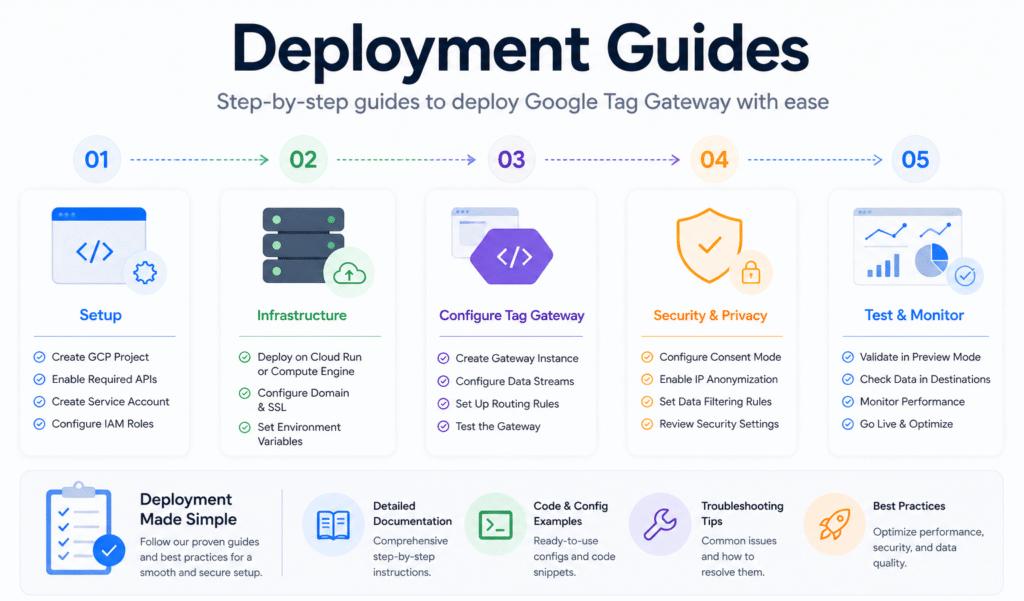
Setting up Google Tag Gateway is straightforward, starting with the one-click option in Google Tag Manager or the Google Tags interface for GCP deployment; Google handles the load balancer creation through its underlying Application Programming Interface (API) integrations, which is often ready in under 10 minutes. All you have to do is link your domain, select the GCP project, and update your GTM snippet. You will route through the new gateway endpoint like yourdomain.com/gateway.
It is even easier for Cloudflare users. All you have to do is just turn on the feature in your dashboard and sign in with Google. And your proxy will set up automatically without the need to write code. Akamai now offers full production support since late January 2026. Add the gateway property in their property manager, map your measurement paths, and test via their edge network for global scale. Each method verifies instantly with Google’s Tag Assistant, ensuring hits flow correctly before going live.
Google Tag Gateway vs. Server-Side Tagging
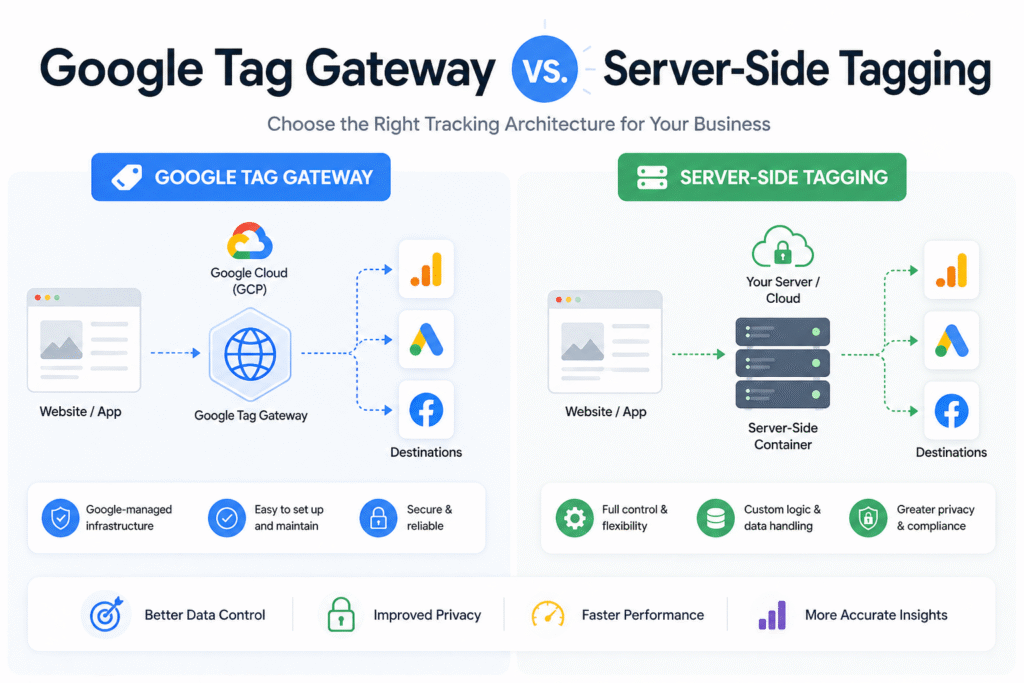
Google Tag Gateway is a very simple way to set up first-party tracking for GA4 and Google Ads. It performs like a fast and simple bridge that sends data through your own website domain to avoid being blocked by ad blockers. The perfect setup for teams who only use Google products and want a quick setup.
Server-side tagging, often implemented via Google Tag Manager Server, is a more advanced and comprehensive system. While it can handle tags for any vendor (not just Google), it requires you to build and manage your server infrastructure. And this makes the whole system more complex and time-consuming to set up.
Here’s how they stack up:
| Feature | Google Tag Gateway | Server-Side Tracking |
| Tag Support | GA4/Google Ads only | All vendors/tags |
| Deployment Speed | 10 mins via GCP/Cloudflare/Akamai | Weeks (custom server needed) |
| Blocker Resistance | High (fist-party domain) | Highest (full proxy control) |
| Customization | Google-managed, minimal tweaks | Complete flexibility |
| Cost | Free tier available | Hosting fees apply |
Gateway wins for speed if you’re Google-centric, but go server-side for broader control in complex stacks.
2026 Developments
Google Tag Gateway has become an easy-to-use and widely available solution in early 2026. This helps websites improve their tracking data accuracy and speed by using their own domain infrastructure.
The key updates include:
- Easy Google Cloud Setup: As of January 5, the Google Tag Gateway integration with Google Cloud Platform (GCP) entered an official beta phase. With this, a “one-click” setup was directly offered from Google Tag Manager (GTM). As a result, this simplifies the technical process for businesses already using Google Cloud.
- The Akamai Partnership: On January 29, Google announced that the Tag Gateway option via Akamai reached general availability. This allows large companies already using Akamai’s global network to use the gateway for improved tag performance without needing custom technical workarounds.
These updates make our tool stronger against all the privacy changes from Apple and Chrome. It is no longer in the testing phase as of February 2026. Marketers are already seeing a steady 10-15% increase in tracked sales and actions after using it.
Implementation Tips
After setting up the Google Tag Gateway, it is important to verify it using Tag Assistant to confirm the green “Gateway” labels that appear on GA4 and Ads hits. Do check that no third-party errors occur. To ensure tracking works, make sure to test data browsers with blockers like uBlock Origin. It also helps to stop data leaks.
First, optimize GA4 events by mapping key conversions through the gateway. Then start prioritizing high-value actions like purchases, and then layer in Consent Mode for opt-out scenarios to maximize modeled data. Are there common troubleshooting steps? Make sure your setup URL (like /gateway/ga.js) is identical to the one in your configuration. Also, you must monitor your server or CDN logs for 4xx errors signaling domain mismatches.
Pro tip: You must start testing on a staging/test website first to fix any issues before releasing it to your live site.
Future Role
As 2026 approaches to an end and third-party cookies fade, Google Tag Gateway ensures reliable data collection for GA4 and Google Ads by switching to first-party. It provides cleaner and more accurate data to AI bidding models like Performance Max and also supports stronger Google Signals data quality. This in turn allows ad campaigns to maintain performance in a cookieless environment.
Looking ahead, this tool will work even better with Google’s Privacy Sandbox and also will help follow new laws like India’s DPDP. It is essential for marketers trying to get good results while protecting Personally Identifiable Information (PII) and privacy in a world without cookies. Early users already see it as the best way to prepare their tracking and BigQuery-driven analytics for the future.