

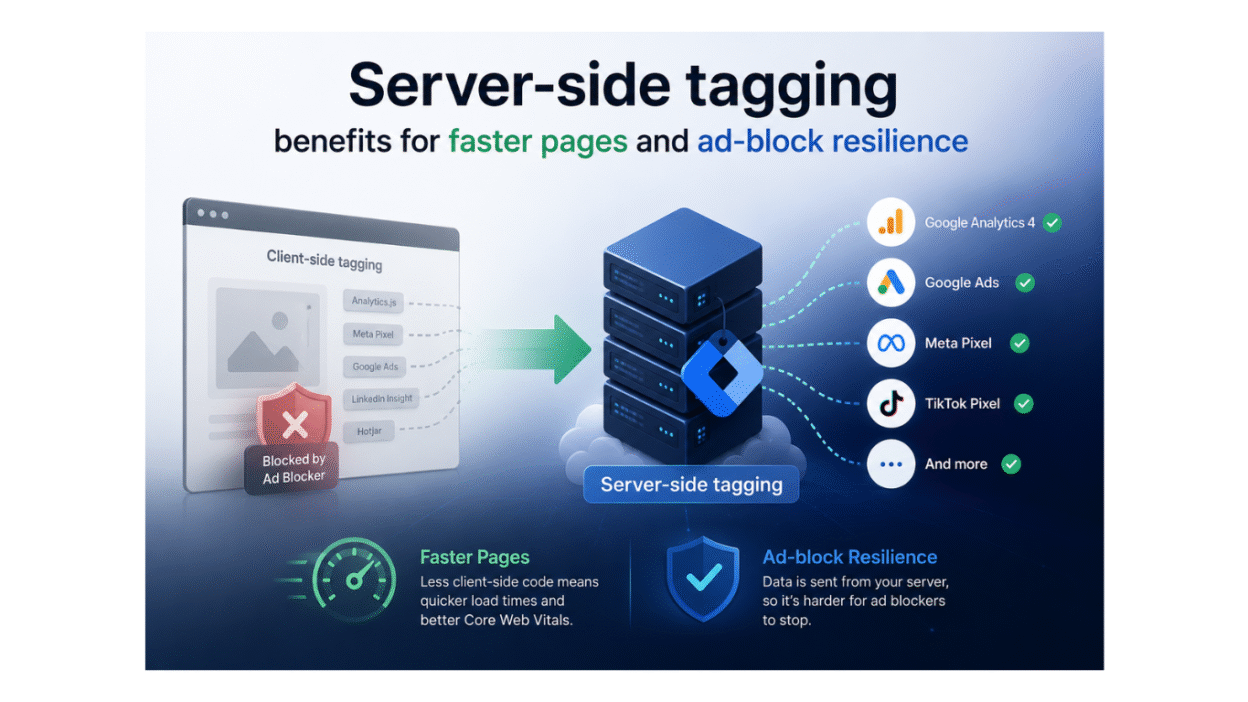
Server-side tagging improves Core Web Vitals by shifting tag execution out of the browser and into a server-side environment, reducing the amount of JavaScript the page needs to process. That means, in Google Tag Manager, the web container sends data to a server container. That design can reduce main-thread burden, cut third-party script work, and make the page feel faster to users.
Google’s own counsel frames server-side tagging as a technique to boost performance and security, and Core Web Vitals monitor the actual user experience with metrics like LCP, INP, and CLS.
Table of Contents
- Introduction
- How server-side tagging works
- Why page speed increases
- How it impacts Core Web Vitals
- What to anticipate
- Conclusion
How server-side tagging works
Server-side tagging shifts the tag execution to a different location. Instead of running every marketing and analytics tag in the browser, the website transmits event data to a web container, which then forwards the data to a server container. The server container then relays the data to tools like Google Analytics or ad networks. Google’s documentation describes it as a web container and a server container, with the server-side environment handling the execution of tags and routing of requests.
The flow is normally straightforward: the browser picks up the event, the server container receives it, processes it, and then forwards it to the correct place. When the browser doesn’t have as many third-party scripts to load and run, there is less work for it to complete on the main thread, which can make the page feel lighter and faster. Google also emphasizes that server-side tagging provides a first-party context, which allows teams more control over how tags are presented.
To understand the concept in a more practical term, this means that the page may be more content and interaction-oriented while the server does much of the measuring work in the background. This is the big shift that makes server-side tagging relevant for performance-focused teams.
Why page speed increases
Server-side tagging helps page speed by reducing the amount of tracking code the browser must load and execute. When fewer third-party scripts run on the page, the browser spends less time parsing JavaScript and more time rendering visible content. The same thing Google’s guidelines and recent speed write-ups are getting at: shifting tag processing out of the browser reduces client-side load and can make websites feel faster.
This is important because most websites don’t slow down due to their actual page content but because of the extra scripts that come with analytics, marketing, and advertising technologies. Sending event data through a server container reduces the number of scripts that are competing for browser resources, which frequently helps reduce render delays and enhance the overall loading experience.
It’s not magic, but it is handy when the site is bogged down with tags. When the page already has decent images, clean code, and good hosting, the gain may be modest, but when the tag stack is big, server-side tagging can take out a large portion of unneeded effort in the browser.
How it impacts Core Web Vitals
Server-side tagging can influence the Core Web Vitals since it can lower the amount of work the browser has to do when loading a page or when a user starts interacting with it. The three metrics to care about here are Largest Contentful Paint (LCP), Interaction to Next Paint (INP), and Cumulative Layout Shift (CLS). Google’s own documentation identifies Core Web Vitals as real-world user experience signals; thus, any reduction in browser-side strain can assist in enhancing those signals when tags are part of the problem.
LCP can improve when the browser has more room to load and render the primary content without competing with heavy tag scripts. It’s possible to enhance INP when the page conducts less JavaScript work on the client side, so interactions aren’t likely to wait behind large activities. CLS is less directly impacted but can still benefit from reducing/handling late-loading tags more cleanly (less likelihood of unexpected layout displacement).
The crucial element to understand is that server-side tagging is not a cure-all for performance problems, but it does remove one common source of browser strain. That’s why it needs to be part of a bigger Core Web Vitals plan, along with image optimization, clear CSS, and appropriate hosting.
What to anticipate
Server-side tagging can definitely boost performance, but the extent of the boost relies on how heavy the initial client-side arrangement was. Sites with a lot of analytics, marketing, and advertising tags are more likely to experience a meaningful lift because shifting that work off the browser reduces script execution and main-thread burden.
The biggest increases are typically in page speed and Core Web Vitals, especially for sites with plenty of third-party scripts that were blocking rendering. In some circumstances, teams get cleaner measurements because fewer client-side scripts interfere with how events are sent and handled. But if the site is already slim, the benefit could be smaller and primarily incremental.”
So the realistic expectation is that server-side tagging won’t fix every speed problem, but it can cut down on one major source of browser stress. That’s a helpful gain when the site is already considering image optimization, caching, and code quality as part of a larger performance plan.
Conclusion
Server-side tagging is important when a site wants to cut down on browser-side tag effort and enhance the performance metrics that matter most to users. It helps by shifting measuring activities onto a server-side environment, which can relieve the browser’s load and enable higher Core Web Vitals, page speed, and overall responsiveness.
Bottom line: If you have a heavy tag stack on your site, server-side tagging can make your page lighter and more efficient. It’s no substitute for the fundamentals of good speed, but it fits well into a larger optimization approach that includes clean code, optimized images, and solid hosting.
That makes server-side tagging a real-world upgrade for organizations who desire faster pages without sacrificing measurement quality.